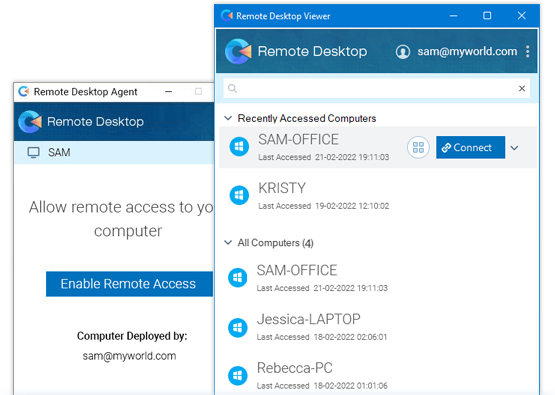
Simplified remote desktop connections
Access PCs remotely by installing an agent, without configuring Microsoft RD Gateway, VPN tunnelling or firewall changes.
Remote Desktop Agent
Install the agent on your Windows computers and add them to your account
Why use RDP Connector?
Security
RDP connections through RDP Connector use end-to-end encryption and TLS/AES-256 over the internet.
No need for a VPN
Users do not need a VPN connection or need to be on the same network to access a computer via RDP.
Concurrent users
Several users can connect to the same server at the same time, each with their own virtual desktop session (via RDS/terminal server).
Supports Remote App
Users can run a specific programme remotely instead of connecting to a full virtual desktop, for a more seamless experience.
Features
Remote Apps
Access any remote applications on your computer directly, without connecting to the entire computer.
Device Redirection
Access devices such as printers, smart cards and external drives connected to your remote computers.
Multi-access Sessions
Establish simultaneous remote connections to one computer or server from multiple Remote Desktop viewers.
Multi-monitor support
Access multiple monitors of your remote computer and switch between the monitors with ease.
Remote Reboot
Restart your remote computer through the remote desktop viewer, anywhere and at any time.
Wake-on LAN
Wake your remote computers or servers over a local network whenever you need to access them.
Get started with RDP Connector
-
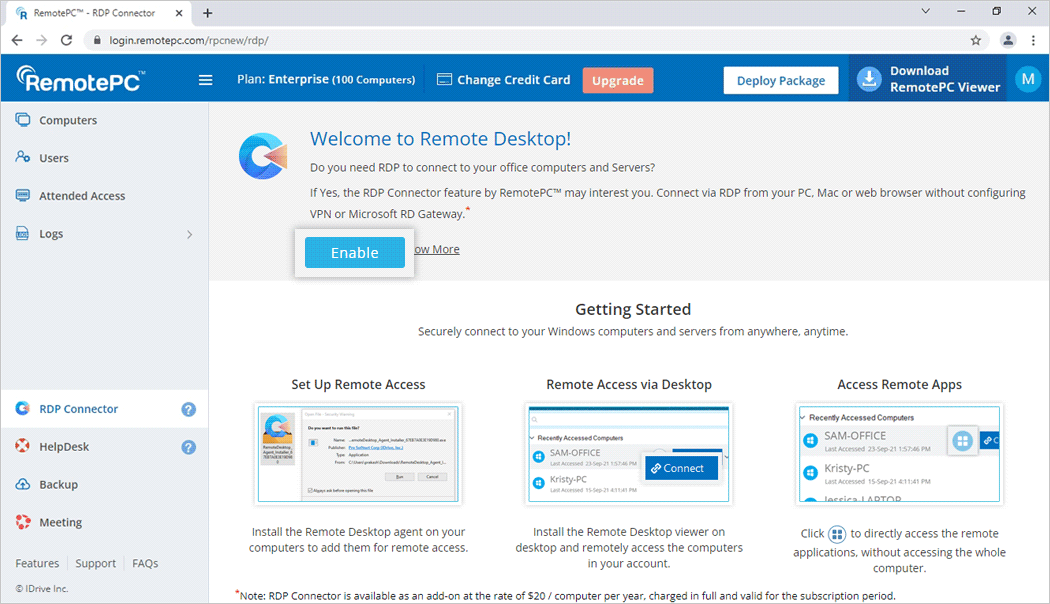
Enable
Sign in to your RemotePC account, go to RDP Connector and select ‘Enable’.
-
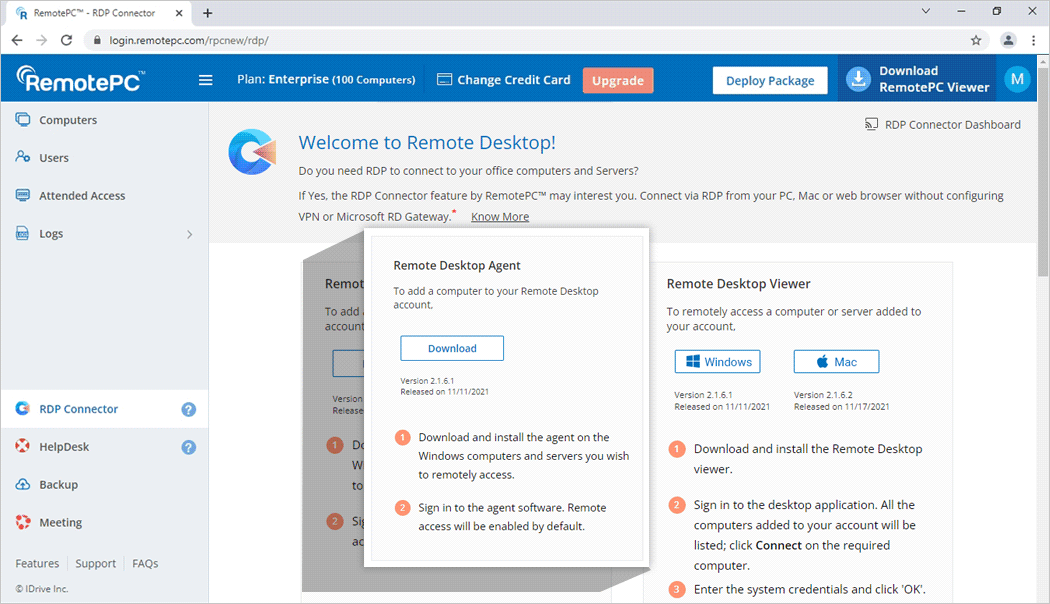
Set up
Install the Remote Desktop Agent on the computers and servers you want to access.
-
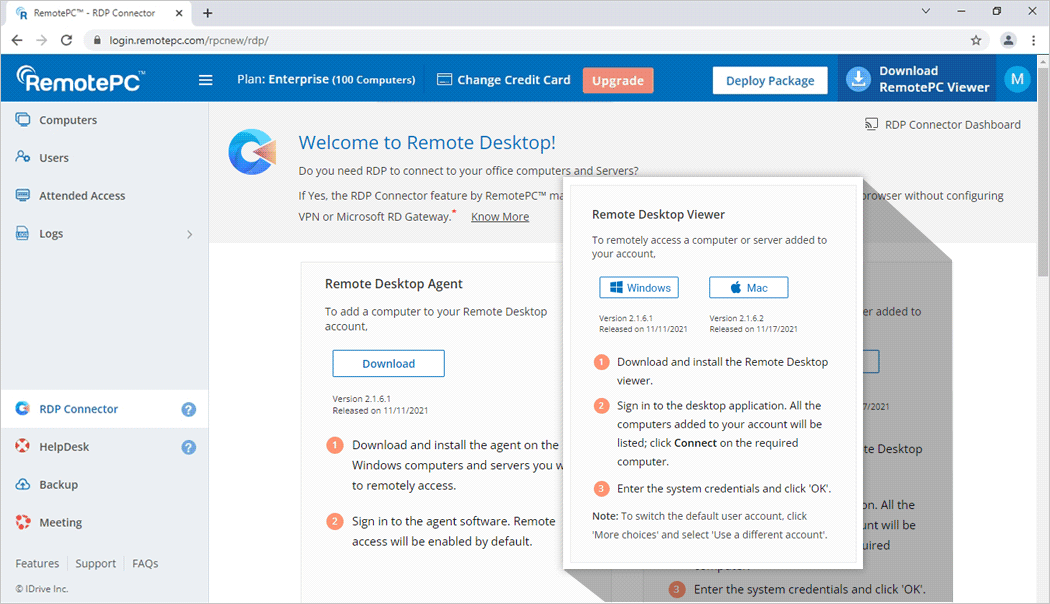
Access
Install Remote Desktop Viewer on the computers you will use to access your configured computers.
-
Control
Control your remote device, use apps, transfer files, print documents remotely and more.
Compatible platforms
Remote Desktop Agent support
Windows 11 Pro, Windows 10 Pro, Windows 10 Enterprise, Windows 8 Enterprise, Windows 8 Professional, Windows 7 Professional, Windows 7 Enterprise, Windows 7 Ultimate, Windows Server 2008, Windows Server 2008 R2, Windows Server 2012, Windows Server 2012 R2, Windows Server 2019, Windows Server 2016, Windows, Multipoint Server 2011, Windows Multipoint Server 2012, Windows Small Business Server 2008, Windows Small Business Server 2011.
Remote Desktop Viewer support
Windows 11, Windows 10, Windows 8.1, Windows 8, Windows 2019 Server, Windows 2016 Server, Windows 2012 Server, Windows Server 2008 R2.
MacOS 10.4.11 or later.
The Remote Desktop client will not connect to these Windows Versions and Editions: Windows 7 Starter, Windows 7 Home, Windows 8 Home, Windows 8.1 Home, Windows 10 Home
*Note:
RDP Connector is available as an add-on for $20 per computer per year. The full amount is charged for the subscription period.
You can remove computers from RDP Connector using the Remote Desktop Viewer or RDP Connector Dashboard.