Generate a SCIM provisioning token to synchronise contacts
For SSO-enabled accounts, administrators can generate and use a SCIM (System for Cross-domain Identity Management) provisioning token to synchronise all the users linked to their IdP with their RemotePC account.
To generate a token:
- Log in to RemotePC via a web browser.
- Click the username displayed in the top-right corner and click 'My Account'.
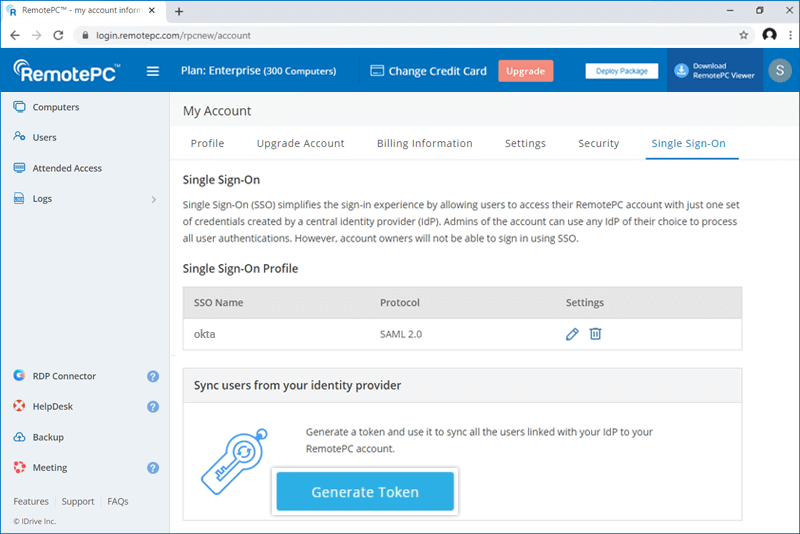
- Navigate to the 'Single Sign-On' tab and click the 'Generate Token' button under 'Sync users from your identity provider' to generate a token.
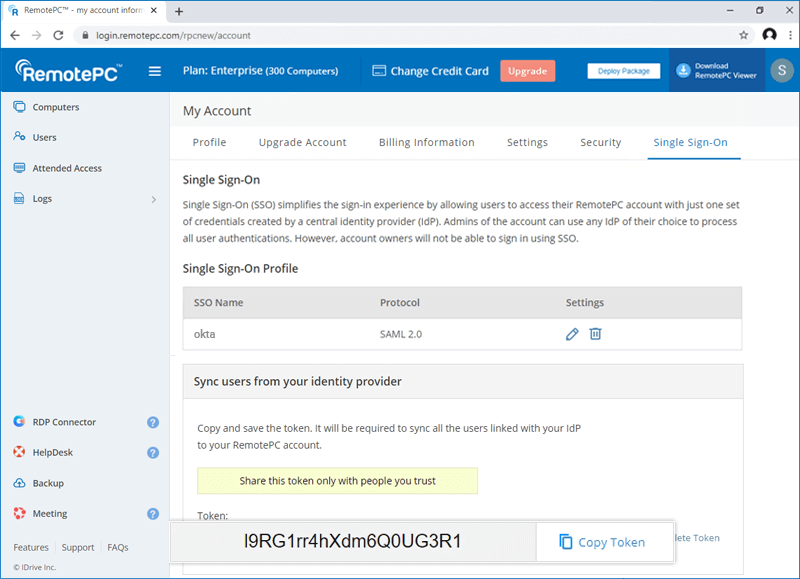
- Click the 'Copy Token' button to copy and save the token for future reference.
Learn how to synchronise contacts from Okta, OneLogin and Azure AD.