Secure Work from Home, Remote access for Schools, IT Support
Secure remote access to your office or home computer.

Consumer

Secure remote access for personal use.

SAVE UP TO 50%*
Starts at $24.50/year
$18.38First year
Get Started Today!
SAVE UP TO 90%*
Starts at $69.50/year
$6.95First year
Get Started Today!
SOHO

SOHO

Add users within your account and organize them into groups.

Unlimited user licenses,
access 10 computers

Get Started Today!
Team

Team

Add users within your account and organize them into groups.

Unlimited user licenses,
access 50 computers

Get Started Today!
Enterprise, IT and Service Provider

Enterprise

Invite users, group computers and provide remote deployment.

Unlimited user licenses,
access 100 computers

Get Started Today!
HelpDesk

HelpDesk

Fast and simple remote support for businesses.

Unlimited technicians,
unlimited computers

Get Started Today!

Cloud Backup

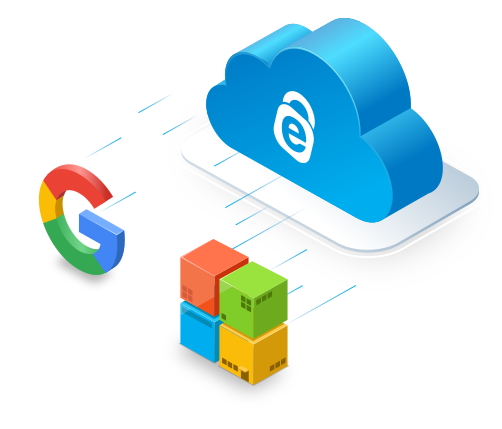
Backup your PCs, Macs, iOS and Android devices with a single account

Starts at $2.95 per year

Sign Up Now!

Fast and Simple Remote Support

On-demand remote support solution for computers and mobile devices

Starts at $99.50/year $9.95 First year

Sign Up Now!90*%
OFF

RemotePC helps you...

Secure Remote Access

RemotePC ensures secure access to remote computers

April 06, 2023

RemotePC offers secure remote access with a host of features designed for a seamless experience. RemotePC uses TLS v 1.2/AES-256 encryption for transferring the data between distant and local computers. Key, a unique password set for each computer, acts as an extra layer of protection.

Keeping up to provide secure access, the 'Lock' feature of RemotePC lets you lock your remote computer during an ongoing session or immediately after the session ends. This option helps prevent any unauthorized access to your remote desktop, ensuring its privacy.

You can lock your remote desktop through a few simple steps. All you have to do is to choose the 'Lock now' or 'Lock on session end' option from the menu bar to lock the PC instantly or after the session ends.

Some of the features offered by RemotePC include:

What More?

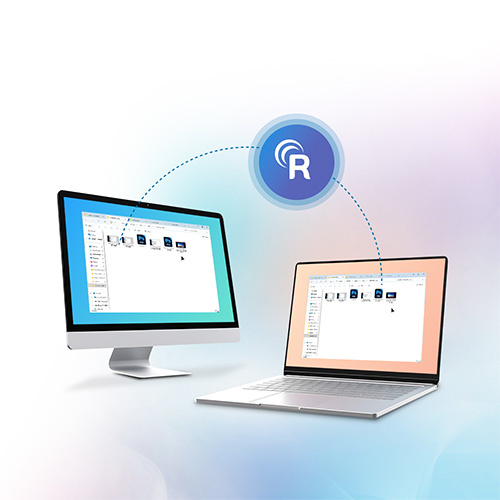
  • File Transfer - Transfer files/ folders between your computers, even without a remote connection. Use the 'Drag and Drop' feature to transfer files from a remote machine to your local computer during a live session.
  • Whiteboard - Collaborate effectively with your team by drawing on the remote screen during an online session.
  • Sticky Note - Take notes during a remote session and save them in offline mode for later use.
  • Online Messaging - Chat with your associates at the remote end during a live session.
  • Record Sessions - Record the remote sessions and save the file on your local computer for future reference.
  • Remote Printing - Print documents and images stored in distant computers from wherever you are.

To enjoy all these amazing benefits and more, Sign up with RemotePC!

RemotePC Team and Enterprise are now used by many Fortune 500 companies

"RemotePC is affordable but does't skimp on quality. It performs well, especially between Windows computers, and its business plans cost much less than the competition."
Justin Pot, PCMag.
Aug 2022

"IDrive's RemotePC not only offers excellent remote control of your desktop (even of Android devices!), it can also leverage the company's online storage service (extra) for backup. Fast and feature-rich with multiple-OS support, there's also a meetings (Zoom, Skype, etc.) facility for only $10 a year."
Jon Jacobi, PCWorld.
July 2022

"RemotePC is one of the most affordable remote desktop programs on the market, but you shouldn't let its low prices fool you—it's packed with advanced features and is among the best options available." Daniel Blechynden, ITProPortal. Feb 2022

"RemotePC is feature-rich and affordable, and getting started is easy, whether you're an individual or part of an enterprise." Caleb Clark, Digitaltrends. Jan 2021

"For businesses needing a comprehensive solution that is easy to implement and access, we recommend Remote PC by IDrive." Skye Schooley, Business.com. Sep 2020

"Simple, secure and effective cloud-hosted remote support at an unbeatably low price." Dave Mitchell, ITPro. Aug 2020

"RemotePC Meeting provides powerful video conferencing tools backed by a range of great features and an easy-to-use interface." Daniel Blechynden, TechRadar. Aug 2020

"IDrive provides its RemotePC software across a spectrum of business types, from individual consumers through small businesses and teams up to enterprises." Keith Shaw, COMPUTERWORLD. May 2020

"Best remote desktop software of 2020: Paid and free choices for businesses." Daniel Blechynden, TechRadar. Apr 2020

"RemotePC is fast, secure, and easy-to-use remote desktop software, with lots of features, an affordable price-tag, and easy scale-ability that businesses will appreciate." Christian Rigg, TechRadar. Mar 2020

"You can then securely log on to the computers from the comfort of home, which is super handy if you're remotely working." Elyse Betters-Picaro, ZDnet. Mar 2020

"RemotePC is a versatile platform, for individuals, SMBs, mid-range companies, large enterprises." Chris Preimesberger, eWEEK. May 2019

"Effortless, simple interface with a flat learning curve. Fast performance. Easy file transfers between local and remote desktops. Inexpensive."
Edward Mendelson, PC Magazine. Apr 2018